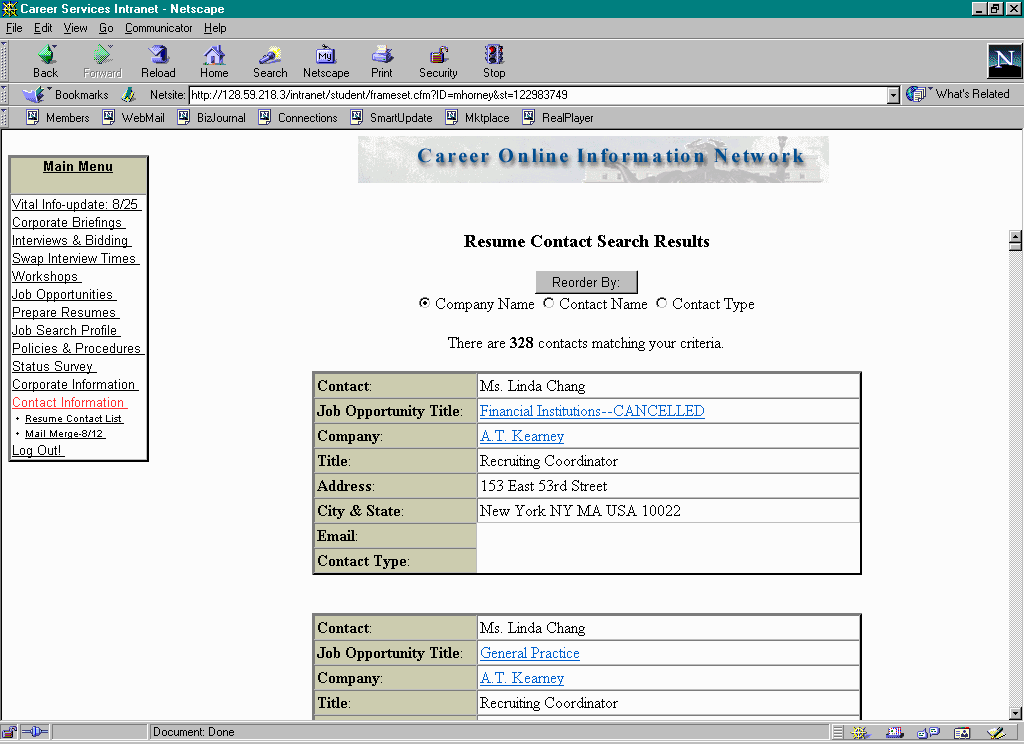
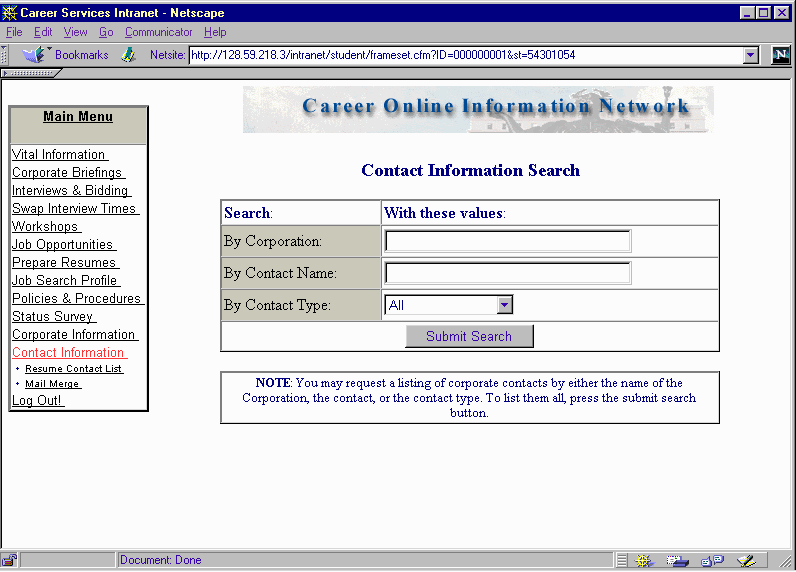
Search "All" to view complete list of Fall 2000 On-campus contacts:
INTERVIEWS & BIDDING
Familiarize yourself with the on-campus recruiting calendar that will be provided to you in a separate handout. During the dates detailed on that calendar, and at specified times, you will accept and decline interviews to which you are invited and bid on those open interviews of your choosing. From the "Interviews & Bidding" menu item you will call up each date, individually, that is included in the specified time frame. (You can also access particular companies either by typing in a name or using a scroll feature.)
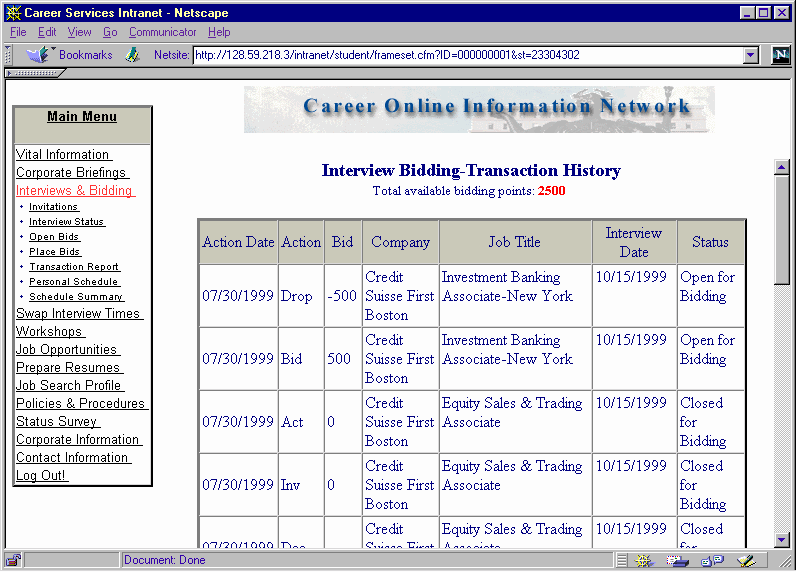
You are given a total of 2500 bid points for full-time jobs (1500 in your first year for the internship search) for the entire On-Campus recruiting season. This number is reflected on the top of the "Interviews & Bidding" area that is accessed through the Main Menu box. Every time you place a bid, this number will be reduced accordingly. If you drop a bid within the bid time frame, the points will be returned.
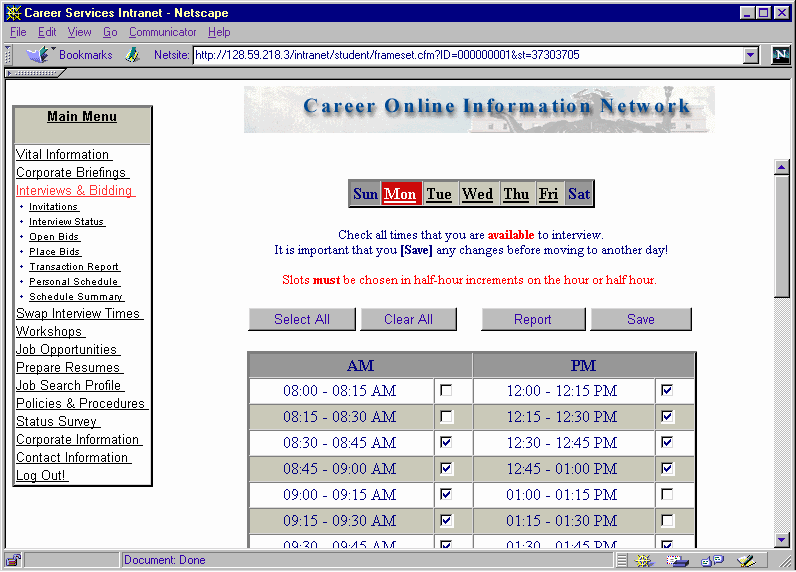
Before you place your first bid or accept an interview invitation, you should visit the "Personal Schedule" area under the "Interviews & Bidding" menu item. Make sure to indicate which times you will be available to interview during each day of the week. (Note that, even though this screen displays 15-minute time segments, you must choose your availability in half-hour increments, on the hour and half-hour.) COIN will use this information to schedule your interview time slots for companies who have invited you as well as for those interviews for which you have successfully bid. The system will attempt to schedule you during your free time, but this is not guaranteed. If you do not complete your personal schedule, COIN will assign your interview times randomly. If your schedule changes during the recruiting season, simply change your times and be sure to save the updated information.
Within the "Interviews & Bidding" menu item, you can access companies that have both open and closed (or invitational) schedules. For invitational schedules, once you enter the "Interviews & Bidding" area you will click on the menu item that says "Invitations." If you were invited, you will indicate that you either wish to accept or decline the interview. Be very careful before you drop an invitation; it will not reappear after that. (If you wish to check on any actions you have taken, go to the Main Menu box and click on "Interviews and Bidding" and then "Transaction Report".) Note that this first acceptance is not sufficient to be assured a spot on the schedule. You must go back on the system during the Confirm/Change time period to accept the time you have been given. If you wish to cancel, you must also go back online and do so.
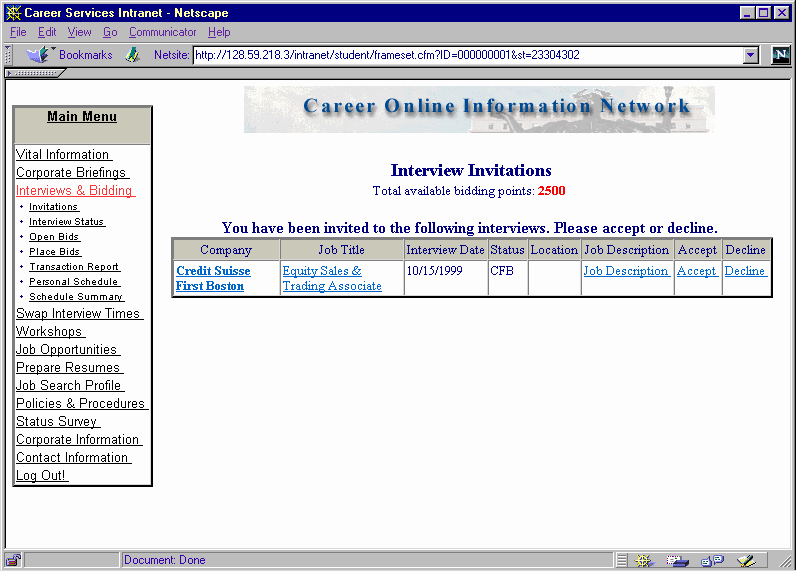
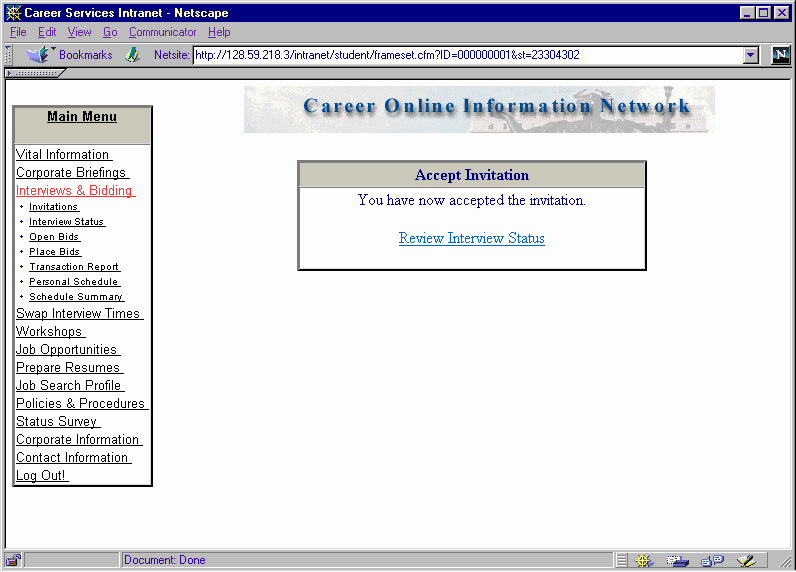
You can see which companies have open schedules by looking at the "Schedule Summary" (described earlier). To bid on an open schedule, click on "Place Bids" under the "Interviews & Bidding" menu item. You can then search by company name or date to see a list of open schedules. A "bid" button will appear when a company has an open schedule. You simply press on the bid button to submit a bid. You are given an option to drop the bid by clicking on the "drop" button once your bid has been captured, as noted on the following screen shots. You can change bids throughout the bid period, detailed on the On-Campus Recruiting calendar (distributed separately), but not after that.
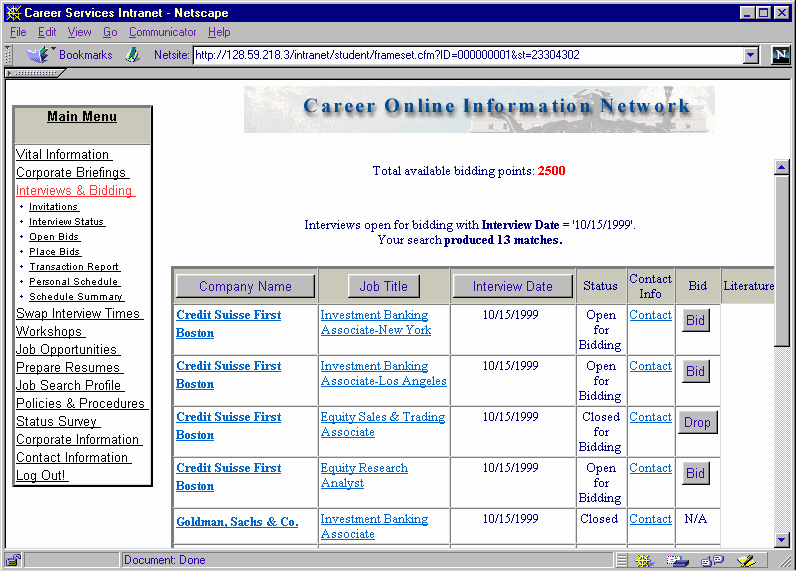
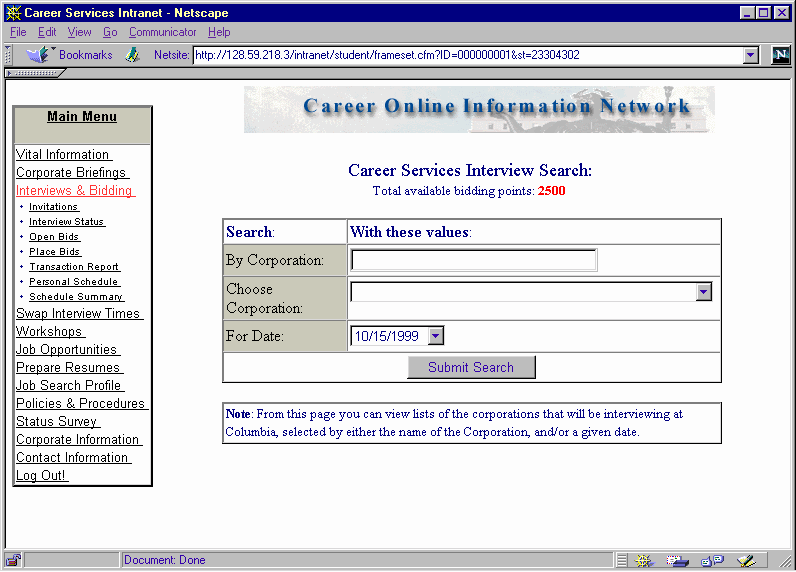
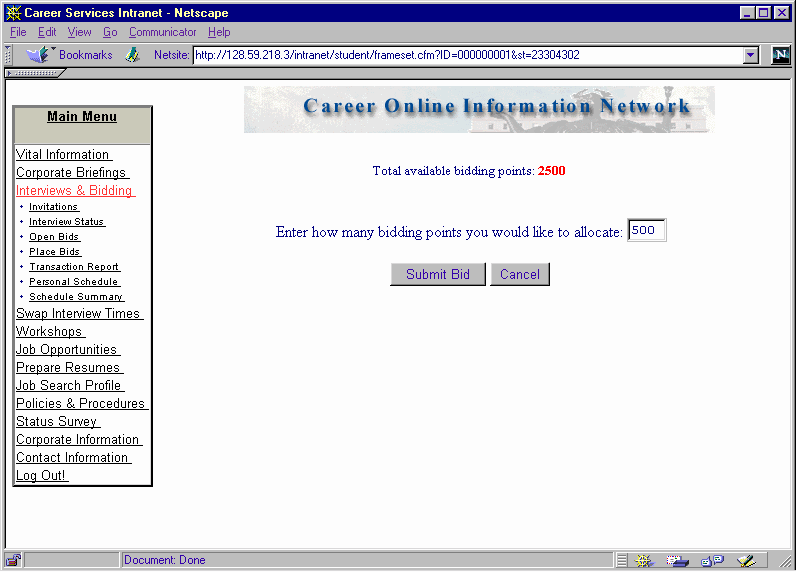
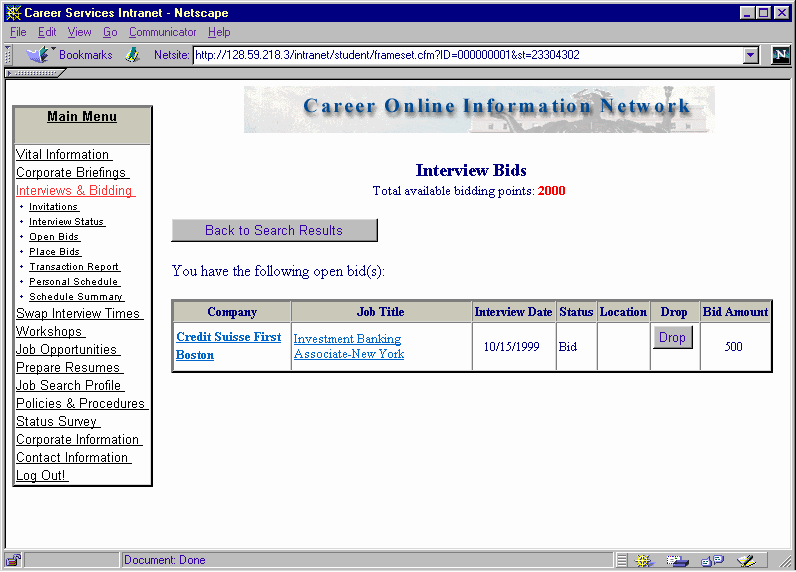
If you are among the highest bidders (generally, 13 students on a half-hour interview schedule and 9 students on a forty-five minute interview schedule), you will be placed on the schedule. You will be charged the number of points you bid.
If you bid for an open interview spot, you will subsequently go online during the "Confirm/Change" period to see if you were successful in your bid and, if so, to confirm your scheduled interview time. If you were not successful, your points will be returned. If you choose to drop an interview at this time, you will not be given points back. Therefore, make certain that you are serious about any interviews for which you bid. Remember that you must also go online during the "Confirm/Change" period to confirm your scheduled interview times for invitations that you have accepted (see screen shots below).
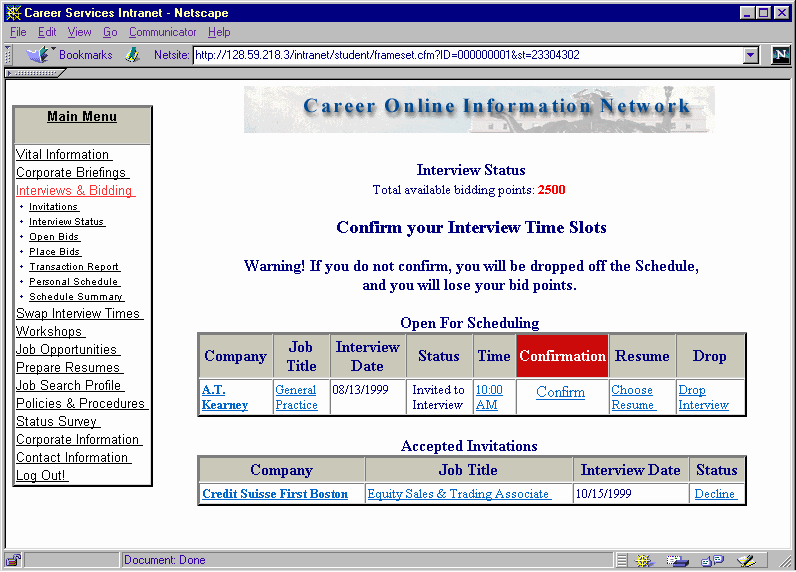
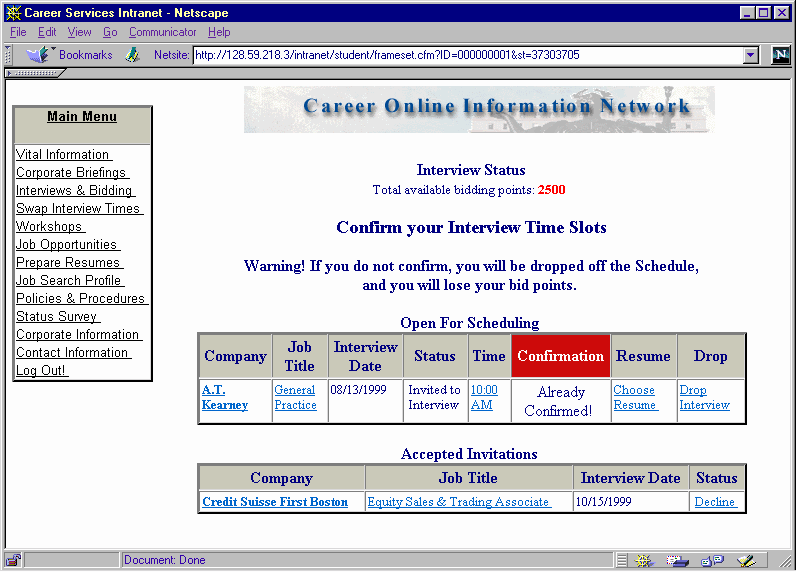
To call up the actual interview schedule, simply click on the time that you have been assigned. Before you confirm your interview, you may decide that you need to switch your assigned time slot. As detailed previously, you may do so by clicking on "Swap Interview Times" under the Main Menu Box and then: 1) double clicking on an empty spot on the schedule (see screen shot below), or 2) switching with another student as detailed in the previous section ("The COIN Main Page"). Both you and the student with whom you are switching must submit an "Interview Time Change Request Form."
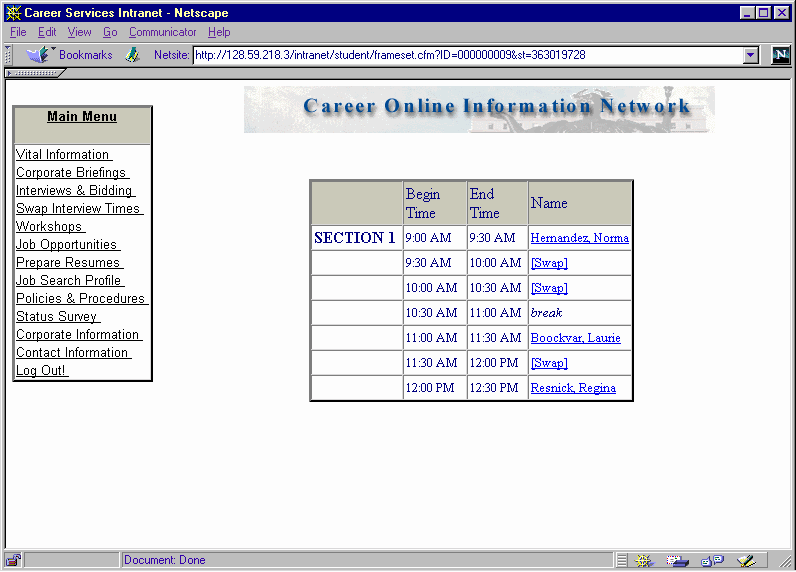
Importantly, if you are an alternate on an invitational schedule, you may be contacted by the Office of MBA Career Services to be placed in an available spot if one of the invitees has declined. This is done on a first-come, first-served basis. We will detail how this will be handled when recruiting calendars are distributed.
Beware that the system does not preclude you from bidding at any time. However, we recommend that you closely follow the cycles so that 1) you do not fail to meet the deadlines for accepting and declining invitational interviews or review your final bid within the prescribed time, 2) you have a clear accounting of the bid points you have expended in one cycle before determining future bids, and 3) you do not lose points by bidding on an open schedule that may be converted to a closed schedule by a company prior to the formal start of bidding.
Final online schedules are posted approximately three business days before a given interview. Any changes after that date will be made off-line and will not be reflected on screen. For details on procedures for viewing final schedules and room assignments, refer to the On-Campus Recruiting handout. You will note that schedules are available by 3:00 PM the business day before the scheduled interview by the table next to the Black Box (2nd floor Uris Hall across from the mail folders.)
Don�t forget to upload your resume(s) and reflect which one is to be included in the recruiter�s packet, as detailed earlier. Remember also that hard copies of your resume are stored in a file cabinet in Room 206. If you store different versions of your resume (targeted at different types of companies), please make sure to mark them clearly so that we will know which version to pull in the event that a recruiter asks for a copy. (See "Prepare Resumes" discussed earlier.)
If you wish to see a summary of your bids and/or accepted invitations, simply select "Transaction Report" under the "Interviews & Bidding" menu item. This area will detail your entire history of transactions within the system (see screen shot below).