JUSTIN SEONYONG LEE
JUSTIN
SEONYONG
LEE
Overflow - Directly Querying OpenAI API from the CLI
August 4, 2023
In my never-ending quest to minimize context switching when writing code, I wrote a bash script that allows
you to call the OpenAI API
chat endpoint directly from the command line with questions that would otherwise take you to Google,
followed by Stack Overflow
(think "overflow python format timestamp mm-dd-yyyy" or "overflow git edit commit message").
I have only tested this in Ubuntu 22.04, but if you park said script (which I called
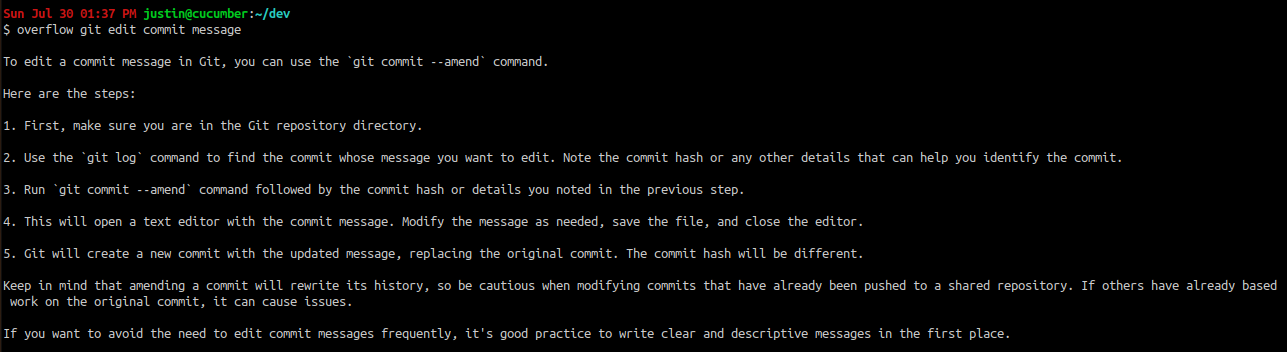
or this:

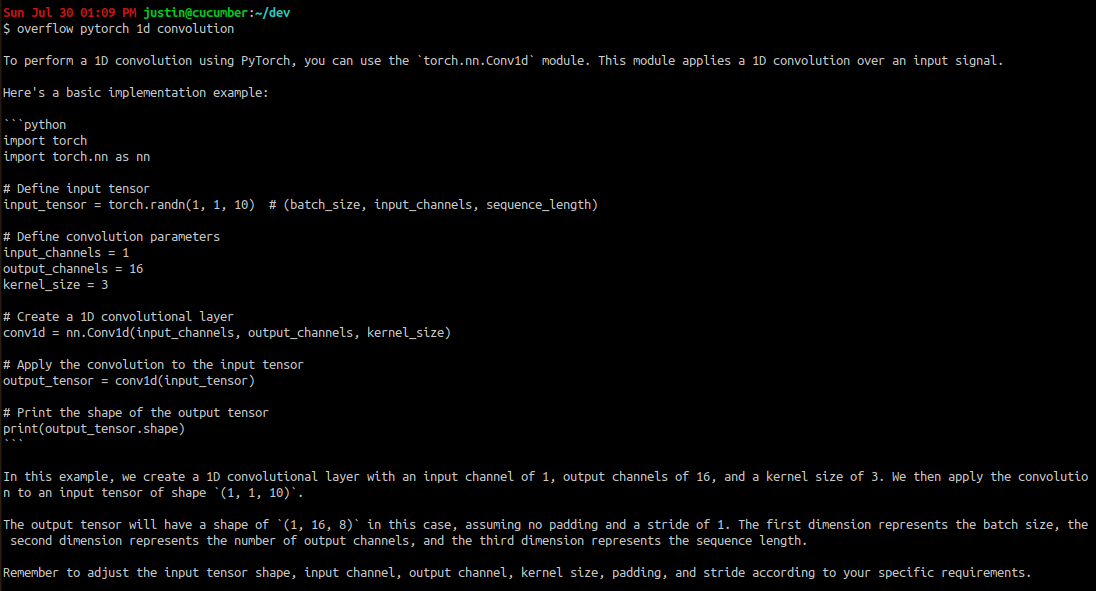
or this:
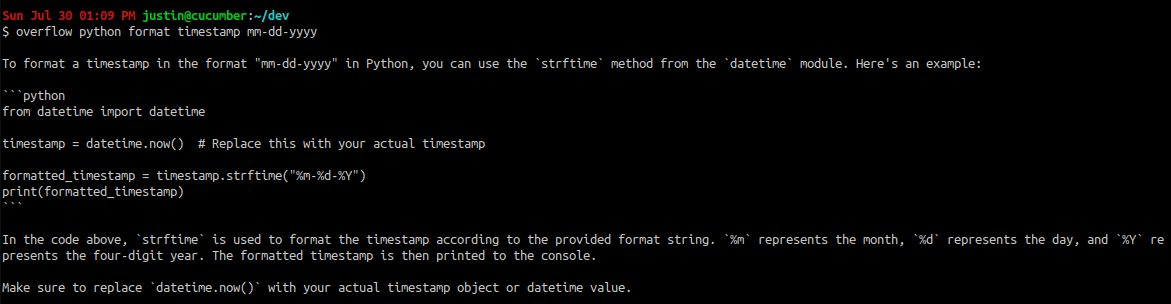
and of course, our first example:
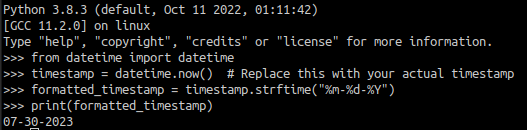
At least in these simple examples, all of the generated code runs as-is. Of course, the possibility of hallucination is always present, and all outputs should be used with discretion.
The script itself is very simple:
The prompt is simply a combination of the user's input with a question mark appended to the end, along with the below. Whether this prompt actually confers any improvement to the output requires more testing.
I have only tested this in Ubuntu 22.04, but if you park said script (which I called
overflow
in keeping with the original goal)
in /usr/bin and then run chmod 755 overflow, you can do things like this:
or this:
or this:
and of course, our first example:
At least in these simple examples, all of the generated code runs as-is. Of course, the possibility of hallucination is always present, and all outputs should be used with discretion.
The script itself is very simple:
input="${@}?"

if [ ${OPENAI_API_KEY+x} ]; then
  echo
  result=$(curl -s https://api.openai.com/v1/chat/completions \
    -H "Content-Type: application/json" \
    -H "Authorization: Bearer $OPENAI_API_KEY" \
    -d '{
      "model": "gpt-3.5-turbo",
      "messages": [
      {
        "role": "system",
        "content": "The user is a programmer interfacing with this LLM via the command line. They want to know more information about the provided input. The input may be a question, or simply a sentence fragment. If it is a fragment, they probably want to know how to implement the stated functionality. Or, they may be trying to avoid the stated issue from happening. Please give as concise a response to the input as possible in the style of a response on Stack Overflow - output is limited to 500 tokens. Do not add any more words beyond what is relevant to the response."
      }, {
        "role": "user",
        "content": "'"$input"'"
      }
      ],
      "temperature": 0.7,
      "max_tokens": 500
    }' | jq -r '.choices[0].message.content')
  echo -e "$result"
else
  echo "need to set envvar 'OPENAI_API_KEY'!"
fiOPENAI_API_KEY, to a valid OpenAI API key.
It also has one dependency, jq, for parsing the JSON
output of the API
call and extracting only the response of the model.
The prompt is simply a combination of the user's input with a question mark appended to the end, along with the below. Whether this prompt actually confers any improvement to the output requires more testing.
The user is a programmer interfacing with this LLM via the command line. They want to know more information about the provided input. The input may be a question, or simply a sentence fragment. If it is a fragment, they probably want to know how to implement the stated functionality. Or, they may be trying to avoid the stated issue from happening. Please give as concise a response to the input as possible in the style of a response on Stack Overflow - output is limited to 500 tokens. Do not say anything beyond what is relevant to the response.
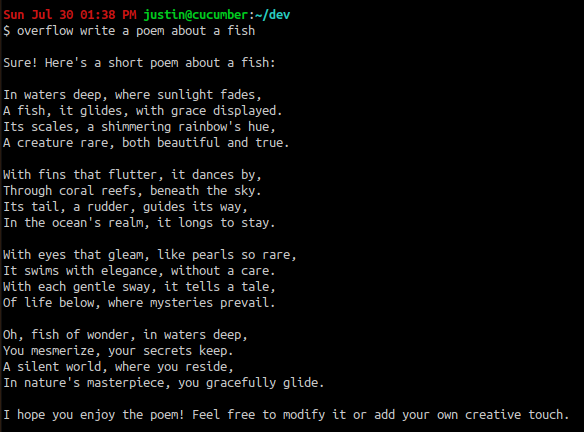
Despite the emphatic wording, however, the prompt does not stop the model from... deviating from its instructions 😆