
 [Add shorter intro, with something more anecdotal along with it, and drop this current intro do to "Why It Is..."]
Delivering aid to developing countries is greatly complicated when international development organizations (those that fund and/or provide direct development assistance) do not build their websites in a way that is conducive to a low bandwidth environment. The irony is that the lower the bandwidth, typically, the greater the need. Therefore, it behooves development organizations to construct their websites in a way that can be utilized by low bandwidth organizations. However, the problem is, many organizations do not construct their sites in this way. I will not argue whether or not this is a force of intentionality or neglectful ignorance. Instead, I will offer a blueprint of recommendations for how to construct websites that maximize accessibility in low bandwidth environments, and critique the sites of some major development organizations to examine the ways in which they are strong and the ways in which they could be more effective. The hope is that development organizations that could stand to improve their websites will heed the call, redesign their sites when necessary, and truly honor their commitment to bridging the gaps that exist between more developed and less developed countries. development
Why It Is Important to Build Accessible Low Bandwidth Sites
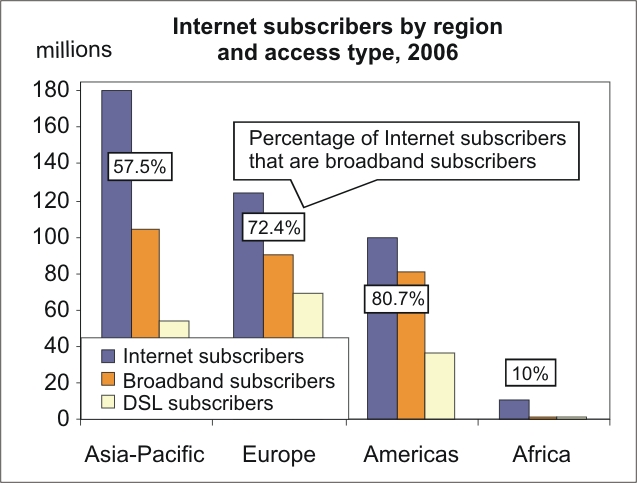
The reality is that, more and more, development organizations are using the Internet as the primary way of disseminating information about their funding. It is certainly cheaper than mailing packets of paper or CD-ROMs out to organizations in target countries, calling them on the phone, advertising on television or radio, or sending a representative door to door. The cost of such efforts would certainly be massive, and it would prove very difficult to ensure that every last potential recipient be reached with this information. The money saved can be, instead, dedicated to projects and programs themselves. Utilizing web technology in this way also serves as a way to sell your development organization to other development organizations —websites can be a surefire way to look credible and professional. The reality is that all of this is most likely to only become more true as the Internet penetrates deeper into the far reaches of the globe. This is a problem for areas with weak Internet penetration and low bandwidth, because it has the potential to actually increase the digital divide, as areas with higher bandwidth have greater access than areas with lower bandwidth. This is especially true in rural are as around the world. We could very easily increase not only the digital divide, but the poverty gap, as well. (See more...)
Common Frustrations When Using Sites Difficult to Use in Low Bandwidth Settings
- Too many clicks to get to granting information, which requires a lot of time downloading new pages.
- Difficult to find granting information, particularly if there is not a clear link on the front page.
- Unclear if information on the site is current due to lack of dates, which can lead to a lot of time spent just trying to determine if the organization is even still active in the recipient country.
- Grant applications that come in large PDF files, which can be difficult to download.
*
Key Principles for Conceiving Web Pages for Low Bandwidth
- Apply a User Driven Approach – Consult members of the target audience to determine what information is most important and useful to them, and use this when designing the site's architecture and layout.
- Know Your Audience’s Needs – Most people are not willing to spend a day learning what’s contained in your site. Get them to the information they want as quickly as possible. (1)
- Learn the Demographics of Your Audience – their age, occupations, skill levels, interests. You are not your audience. Therefore, it will take some data-gathering to be able to design for your intended audience. (2)
- Include Your Audience in User Testing – Have members of the target audience, particularly in low bandwidth situations, test the pages and offer feedback.
Key Recommendations for Designing Web Pages for Low Bandwidth
- Build Text A Only Version of Your Site – If you need to have a site with components that take up bandwidth, like graphics, consider building a mirror version of your site that is "text only."
- Have Good Site Structure – Provide easy navigation. Don't make users load unnecessary pages which are annoying for all users but really frustrating for users with low bandwidth connections. (3)
- Use A 15 Second Rule for Each Page – Users should be able to learn how to navigate and orient themselves within 15 seconds. Identify the primary purpose of each page within the first few inches of screen space. Provide a summary or quick overview of the page before the user clicks on the link, perhaps a quick blurb about the major points contained in a long page. (4)
- Put Useful Items First – Put main navigation items at the top of each page so they load and display first. Make your pages useful even before they finish loading. (5) Most users will not take the time to read long passages on a computer screen. Experts report: Reading online is slower. People are distracted by links. They would rather follow a link than scroll. (6)
- No Page Bigger Than 25kB – Design your pages to load within 10 seconds over 20kbps connections, which means 25kB is the maximum page size. If you do one thing, do this. (7)
- Reduce Images – Good design is possible without lots of images. Use CSS for layout and rollovers, instead of images. Make sure your site is usable if images are turned off in the browser. Optimizing the images you do have can make them a fraction of the size. (8)
- Avoid PDFs – If you use them, optimize them for low bandwidth. PDFs can be optimized by using vector-based graphics and minimizing the number of fonts. (9)
- Show Link Sizes – Don't force the user to download large things, always link to them, and if they are over 75kB say how large they are going to be. (10)
- Include Important Dates – Use dates to make it extremely clear and easy to determine how current the information on the site is, and when projects and funding are available and when they close. (See more...)
Examination of a Sample of Current Development Organization Sites
CARNEGIE COUNCIL
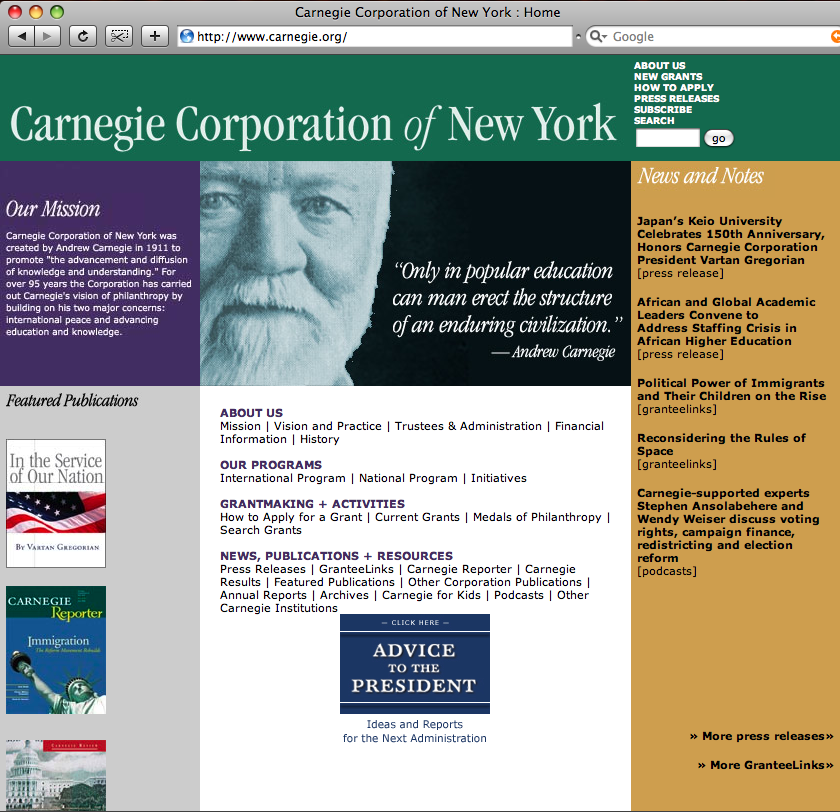
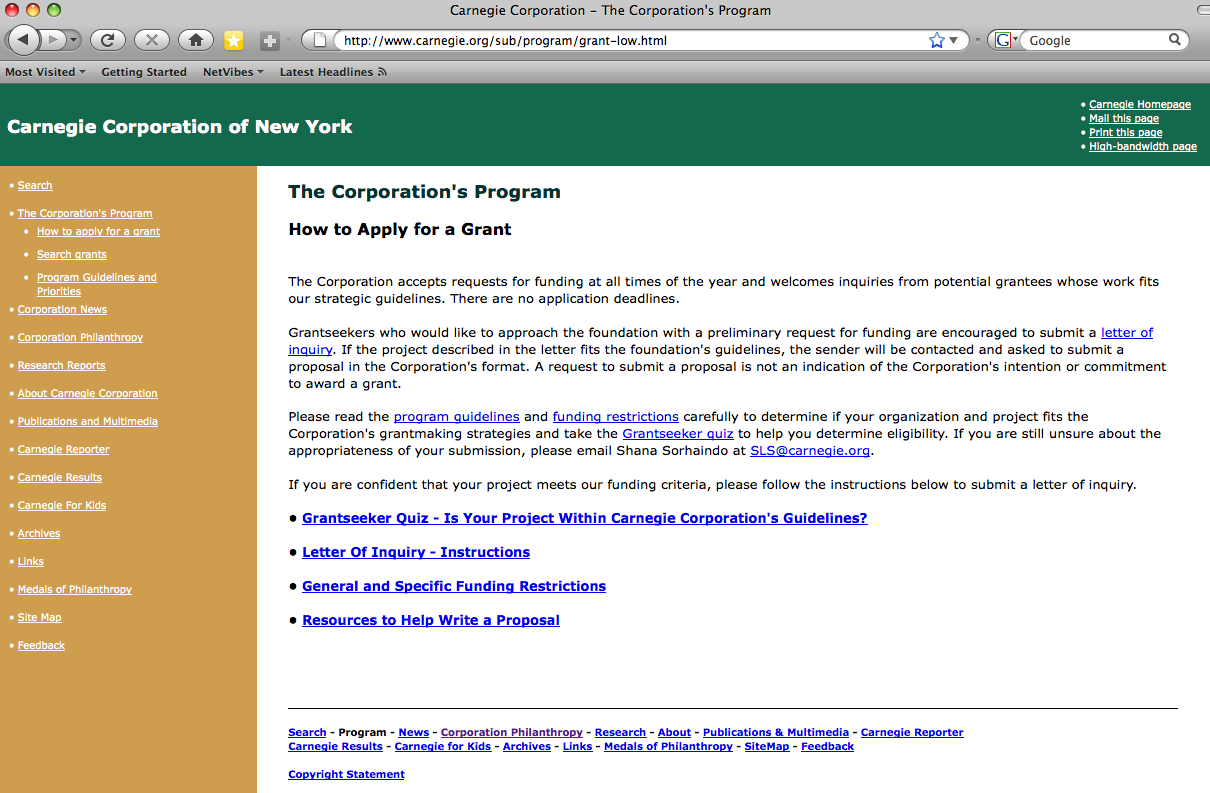
Page size test: first page – 280 KB
How to Apply for a grant page – 56 KB
How long it took to find granting info – 1 minute
Clicks to granting: one – there is a clear, easy to find link
on the front page
Clicks to actual grant application – 2 clicks
Low bandwidth version? – Yes
Application (PDF, doc, or online?) – There is no actual form,
just a description of elements needed, thus no actual downloading is required.
Available languages – English
Easy to tell if it is current? – Yes – Explains deadline policy clearly
USAID
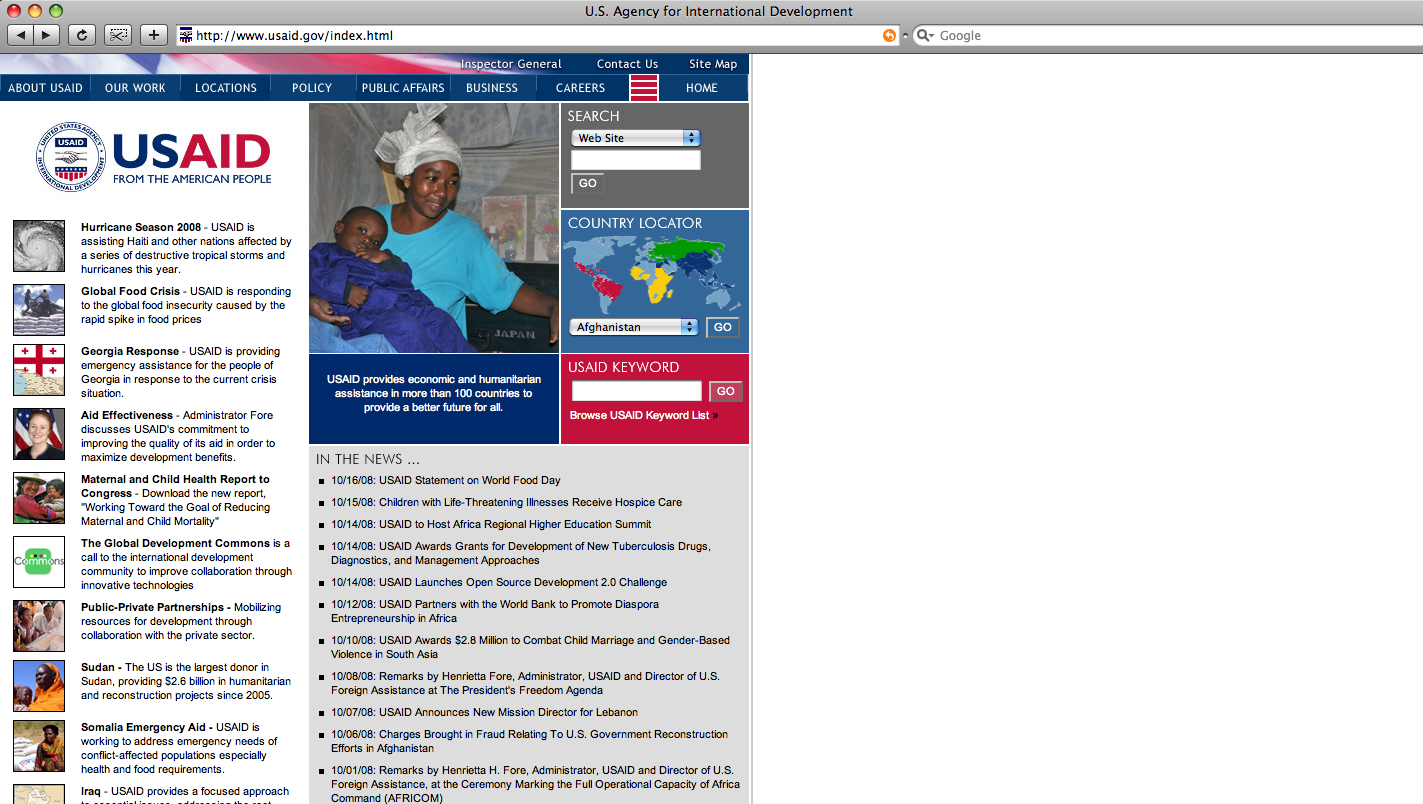
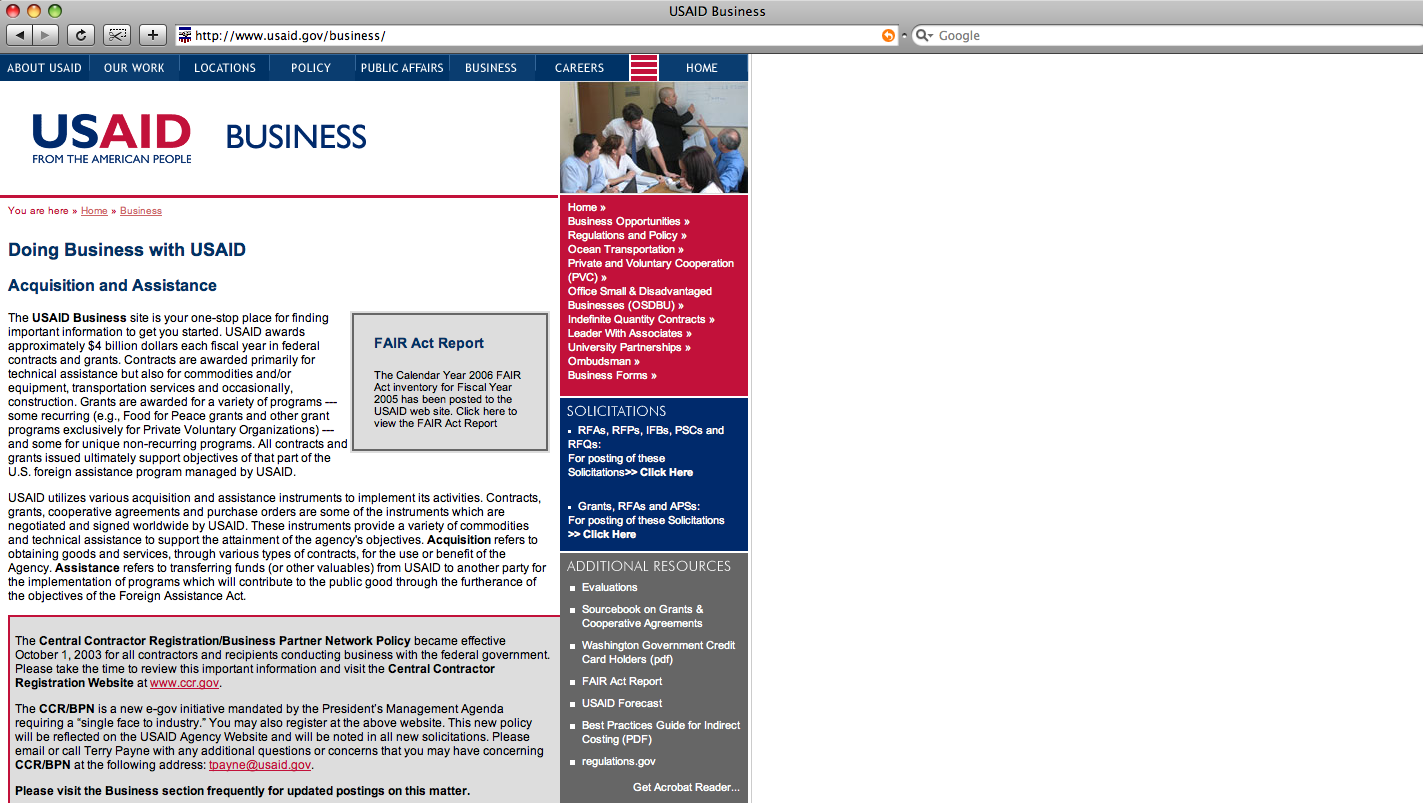
 Page size test: first page – 368 KB
USAID Business page – 168 KB
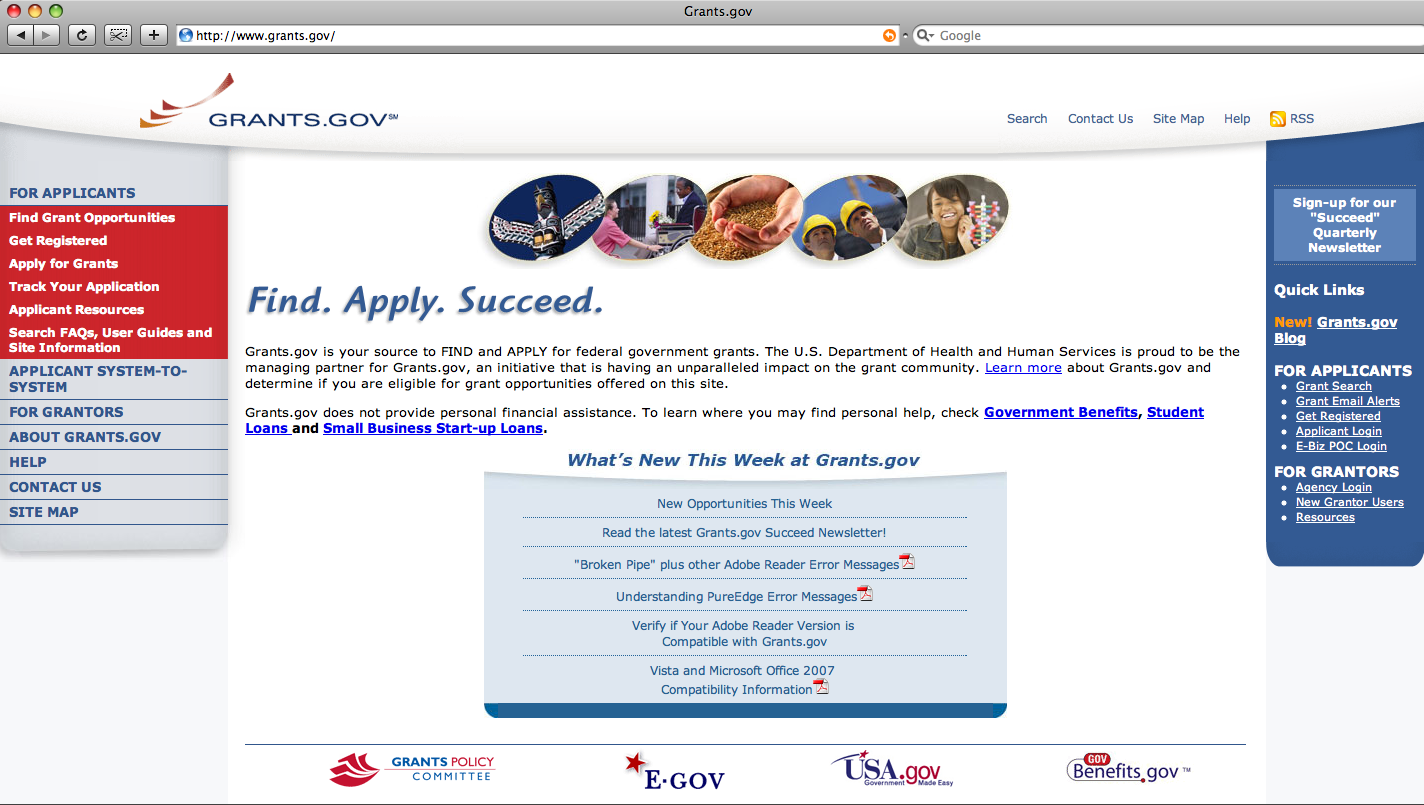
How long it took to find granting info – 20 minutes, eventually found on the Business page (http://www.usaid.gov/business/) , took me to another site - http://www.grants.gov/, (2 clicks), but this is to an offsite page that has grants from all kinds of organizations on all kinds of topics. Useful, on a general level, but not clear in terms of country, topic AND USAID’ also a link on the FAQ page to a general PDF on funding http://www.usaid.gov/policy/ads/300/30354s1.pdf
(4 clicks), but it is not clear where or what or how much they will actually fund.
Clicks to granting:
Available languages – English
Low bandwidth version? - No
Recommended Resources for Web Design
- “Web Design Guidelines for Low Bandwidth” – This site provides a comprehensive view of how to build a site with these topics in mind: High-Level Design, Search, HTML, CSS, Images, Compression, Caching, PDF Optimization, Downloads, Multimedia, Scripting, and Browser Compatibility.
- “Principles of Web Design: A Guide” – This site provides how to conceptualize a website, taking into account the needs of the user.
- “Optimizing Adobe PDF files for the Web” – This document describes “techniques for efficiently delivering large PDF files”, which is vital, given the prevalence of using PDFs, for example, to deliver granting application materials.
- Usability 101 – This is an online course for web designers on how to incorporate usability techniques into their design of interfaces.
- Usability.gov – This site is one of the premier guides to developing usable and useful websites.
- "Website Usability Checklist" - This article provides checklists and highlights important components of a usable website.
- "Web Usability" - This article on web usability provides important concepts to consider when designing a site.
- World Wide Web Consortium – This organization “is an international consortium where Member organizations, a full-time staff, and the public work together to develop Web standards.”
- Web Accessibility Initiative – This organization “develops guidelines which are widely regarded as the international standard for Web accessibility”.
- Loband – This site can be used by people in low bandwidth situations to simply web pages websites, in order to make them download faster over slow Internet connections.
 [Add shorter intro, with something more anecdotal along with it, and drop this current intro do to "Why It Is..."]